aiyu-ayaan/Kinema
Kinema
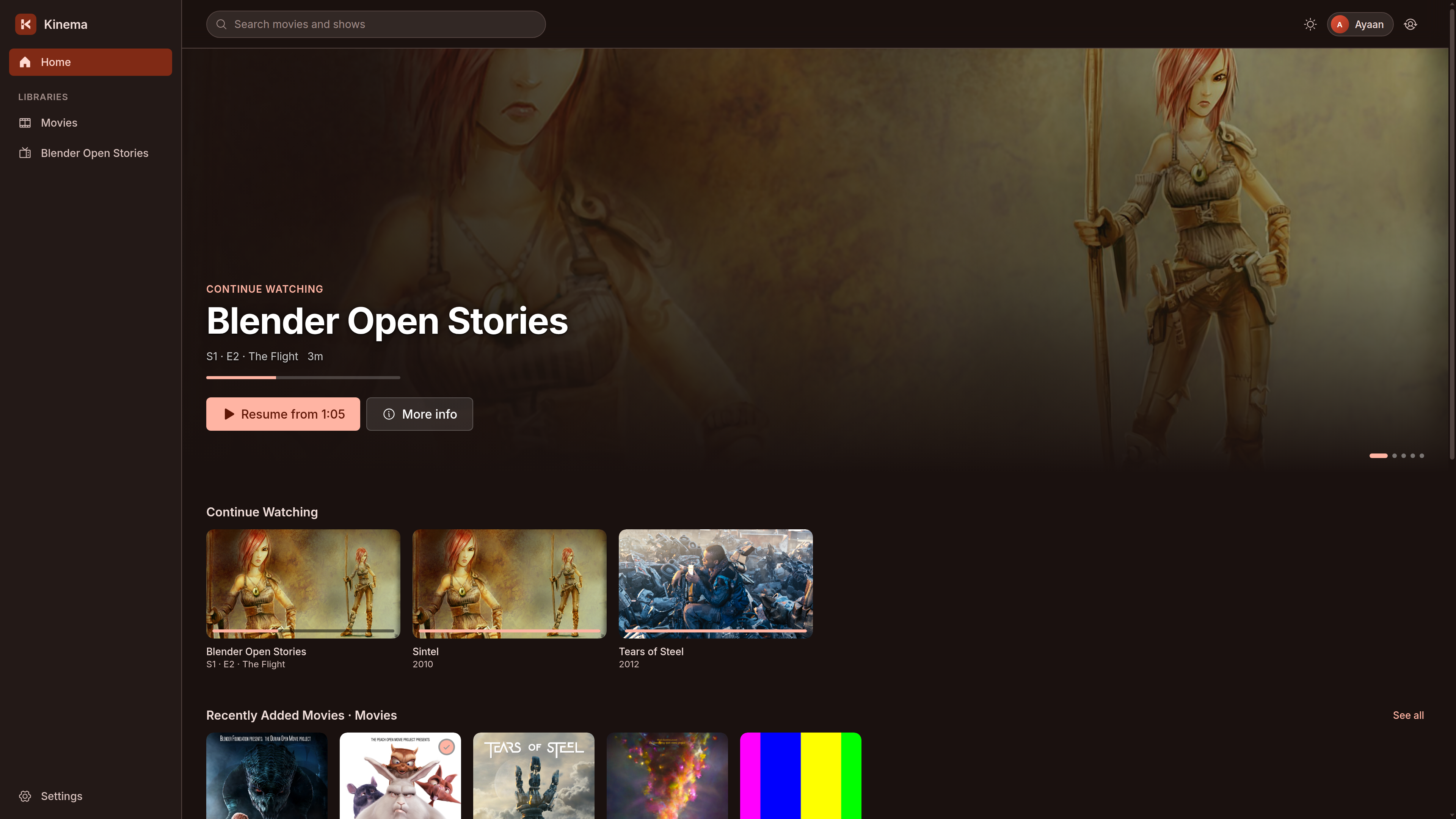
Self-hosted media server built with Rust for fast, private streaming. Organizes movies and TV shows with rich metadata and artwork. Watch seamlessly across web, desktop, and Android.
- active
- Rust
- MIT
- pushed today
// readmeaiyu-ayaan/Kinema

Kinema










# Home Server (Linux x86_64 / aarch64) - standalone bundle with backend, web UI, bundled FFmpeg 8.1 & systemd service
curl -fsSL https://raw.githubusercontent.com/aiyu-ayaan/Kinema/master/scripts/install-server.sh | sudo sh

# Desktop App (Linux x86_64) - AppImage, application menu launcher with icon & 'kinema' command
curl -fsSL https://raw.githubusercontent.com/aiyu-ayaan/Kinema/master/scripts/install-desktop.sh | sh
Kinema is a fast, self-hosted personal media server written in Rust, in the spirit of Plex Media Server. It scans local storage, organizes movies and TV shows with rich artwork and metadata from TMDB, and streams seamlessly across web browsers, desktop apps, and mobile devices.
Priorities: near-zero idle CPU, support for any media container and codec, a small dependency-light binary, direct-play first, and rock-solid privacy.
- Zero-polling background monitoring: Filesystem events (
notify/ inotify with debouncing) trigger scans instantly without burning idle CPU cycles. - Smart release parser: Automatically groups episodes (
S01E02,1x02, date patterns), collapses multi-part series, and identifies movies and shows even in mixed folders. - Direct play first: Serves original streams directly via ranged HTTP reads. Remuxes container/audio formats on-the-fly without touching video streams. Re-encodes only when strictly necessary.
- Cheap when it must transcode: a re-encode runs at most 60 s ahead of playback and below the server's own priority; on a Raspberry Pi 5 the HEVC decode runs on its GPU. The desktop app can instead play any file in a local mpv, so the server converts nothing.
- Never do work twice: Probed media streams, extracted WebVTT subtitles, video keyframe grabs, and TMDB posters/backdrops are aggressively cached and keyed by file fingerprints (
size + mtime + content hash). - Rich metadata: Automatic lookup via TMDB API with local fallback (filename parsing + ffmpeg frame grabs). In-app Fix Match interface for corrections.
- Family profiles: Multi-user support with PIN or password protection, independent watch progress, and sticky per-profile audio and subtitle track memory across devices.
- Native Android app: Pure Jetpack Compose UI with Material 3 Expressive motion, Navigation 3 back-stack, Media3 ExoPlayer, and predictive back gestures.
- Zero-conf LAN discovery: Automatic UDP beacon discovery (port
48555) with seamless roaming between home LAN and public reverse-proxy addresses. - HTTPS by default: Generates an isolated self-signed TLS certificate on first boot; clients pin the certificate fingerprint to prevent MITM attacks on local networks.
Screenshots
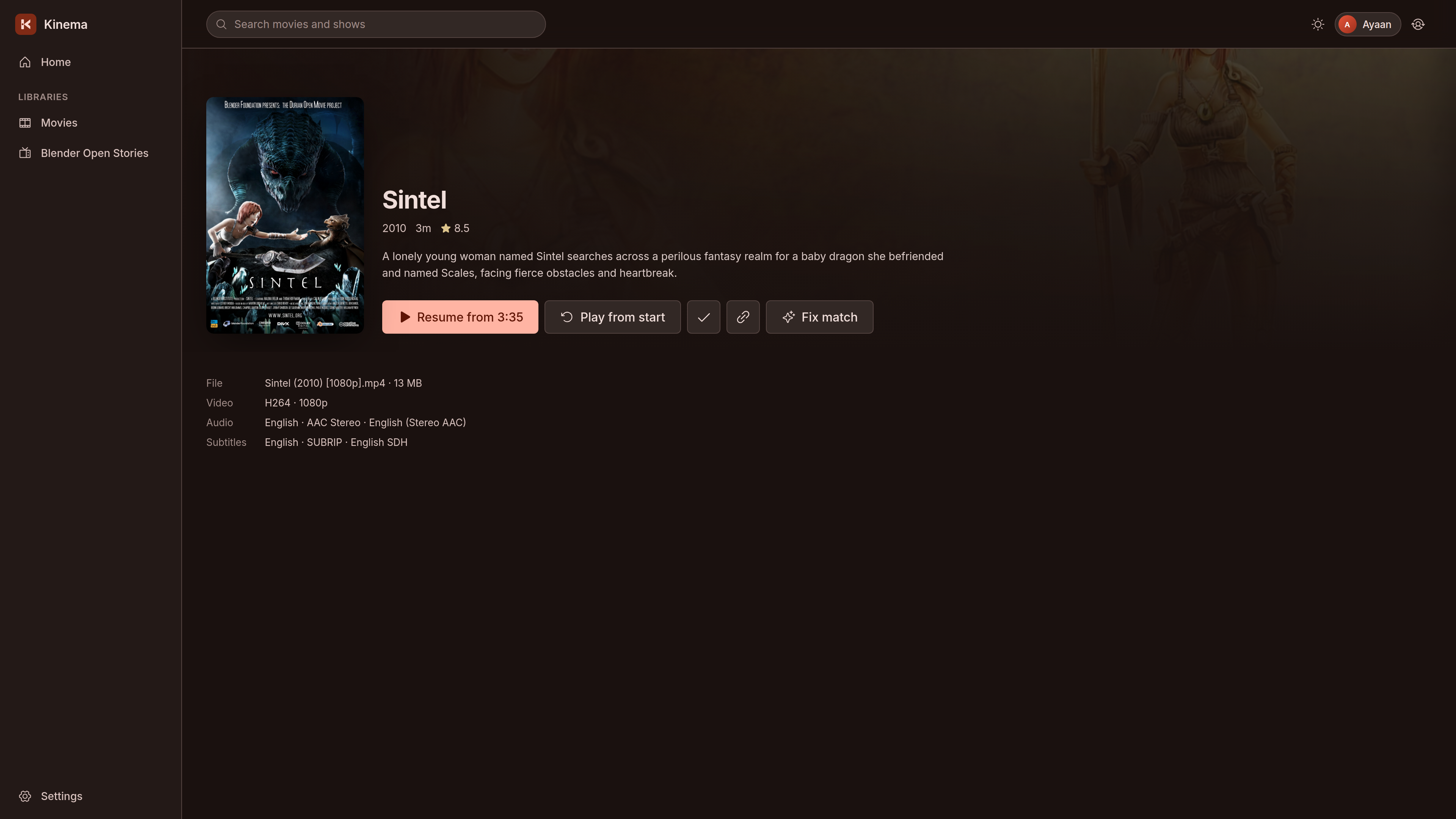
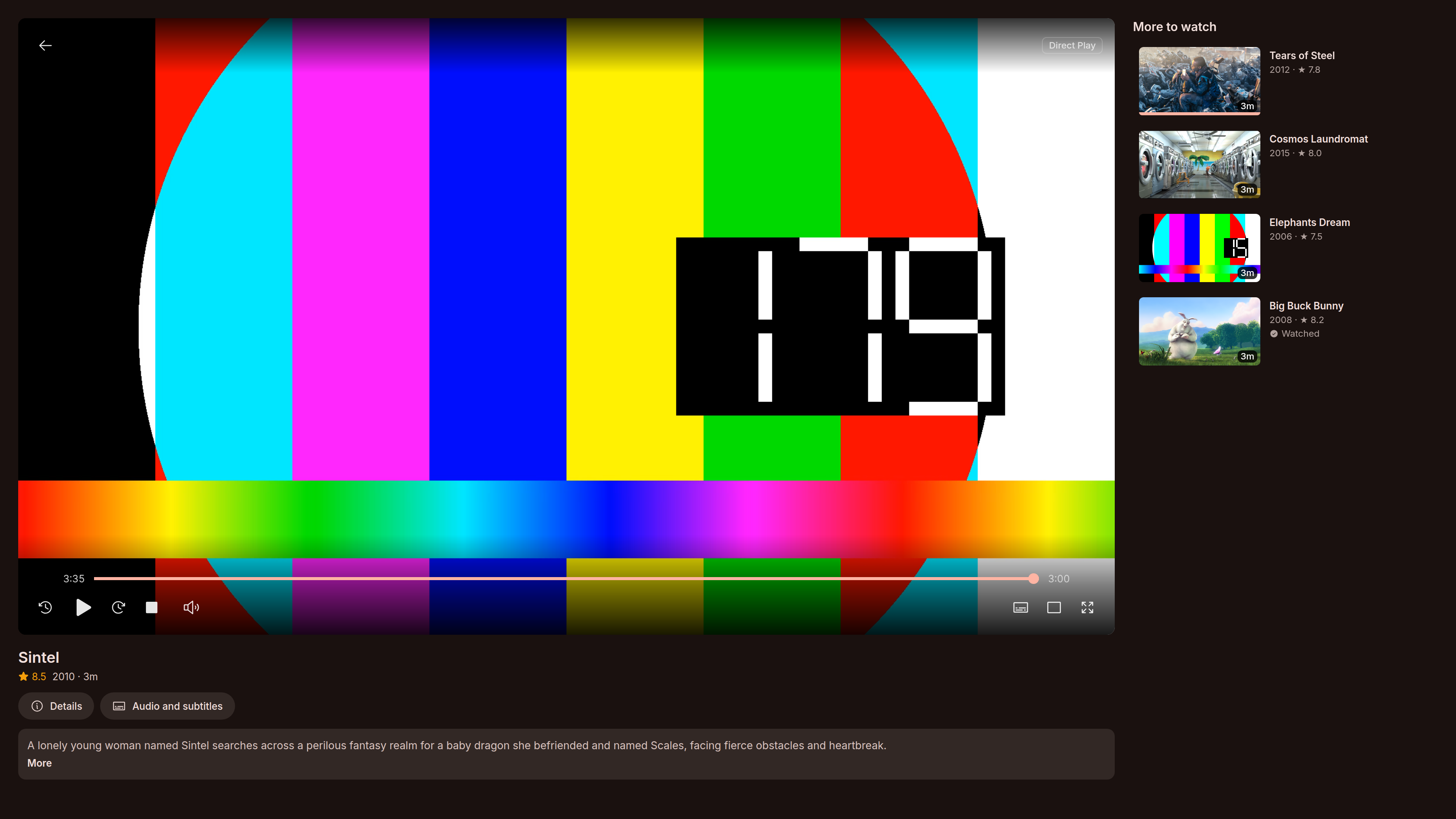
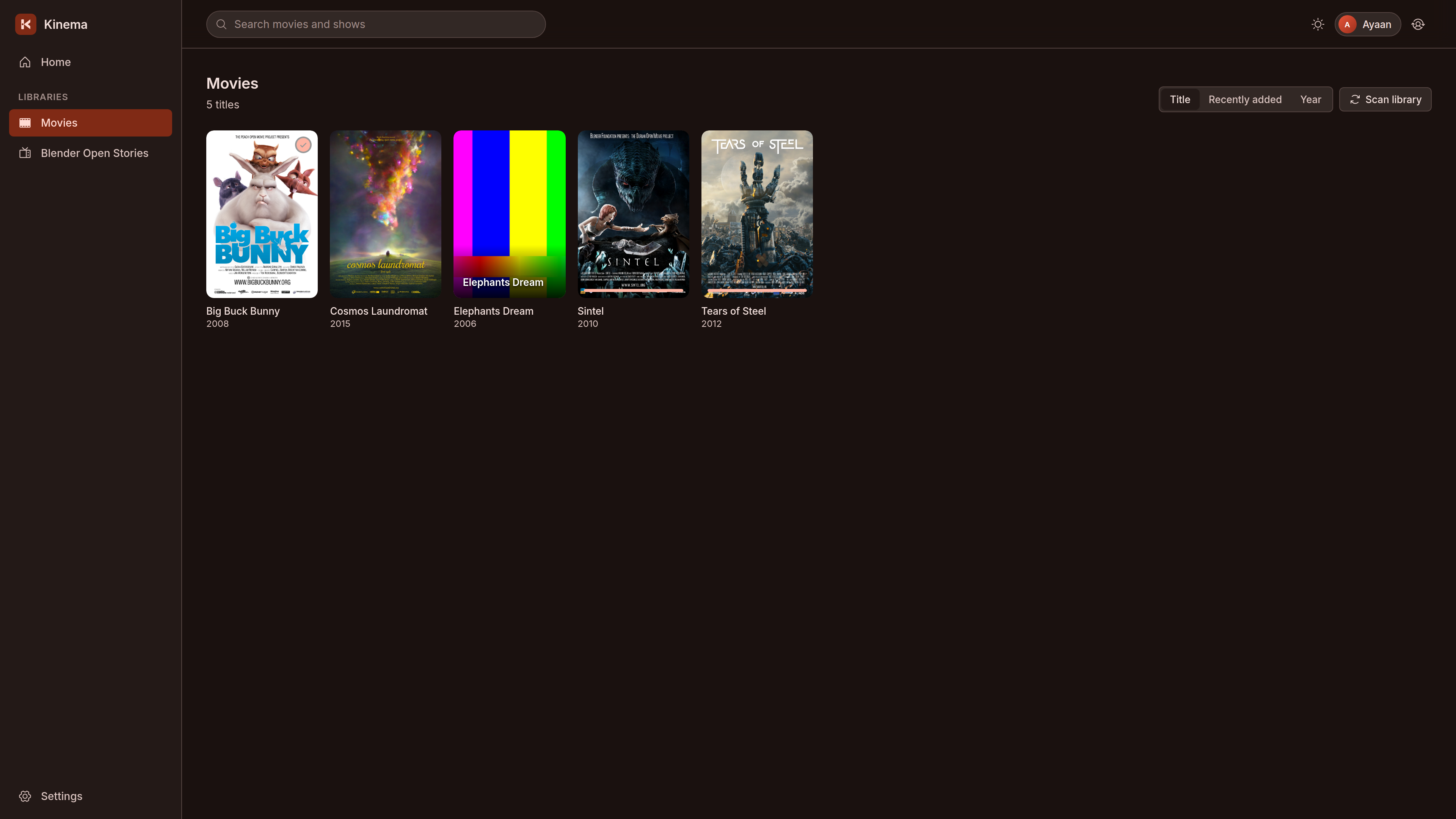
Web & Desktop Experience
| Home & Hero Shelf | Movie & Series Detail |
|---|---|
|  |
| Direct Play & Remux Player | Library Browse & Filtering |
|---|---|
 |  |
Native Android Experience (Jetpack Compose & Media3)
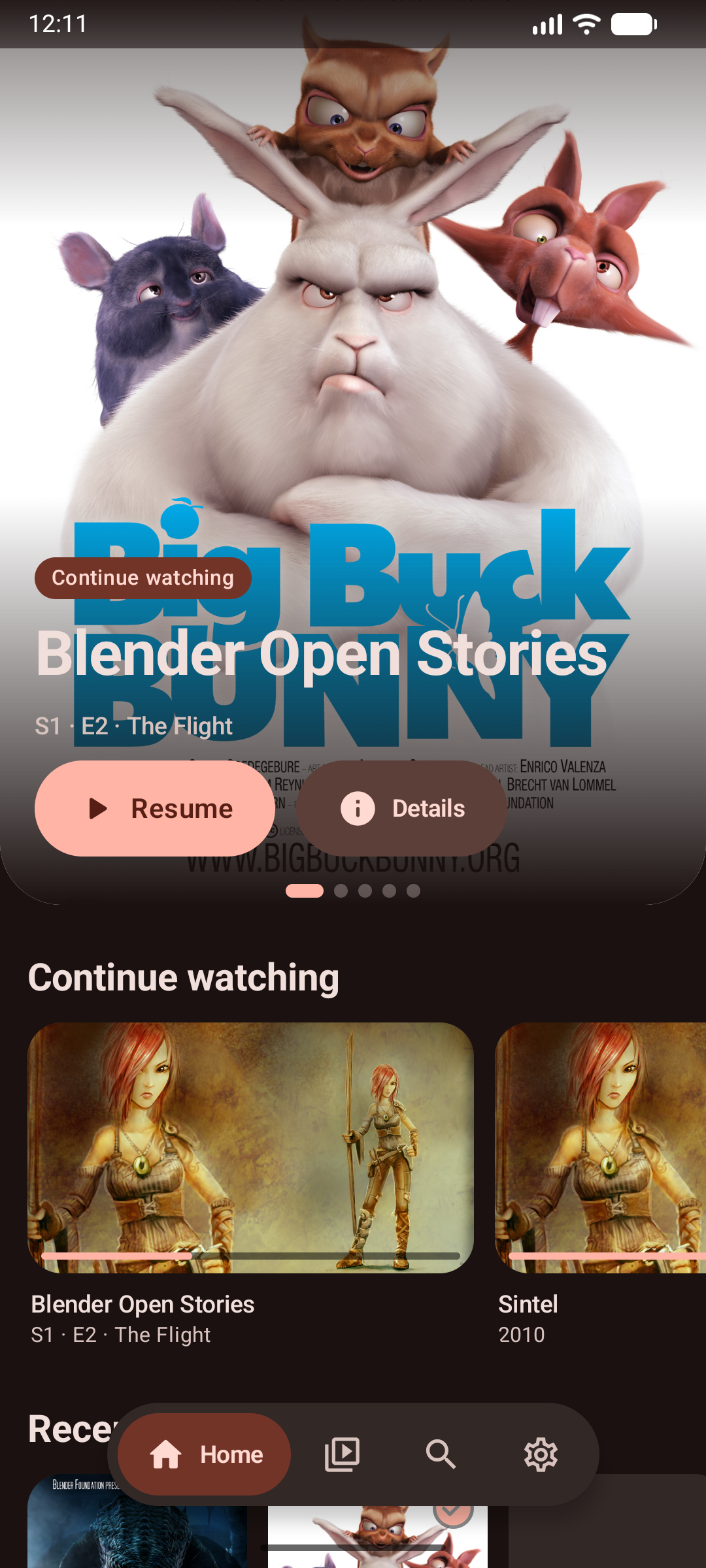
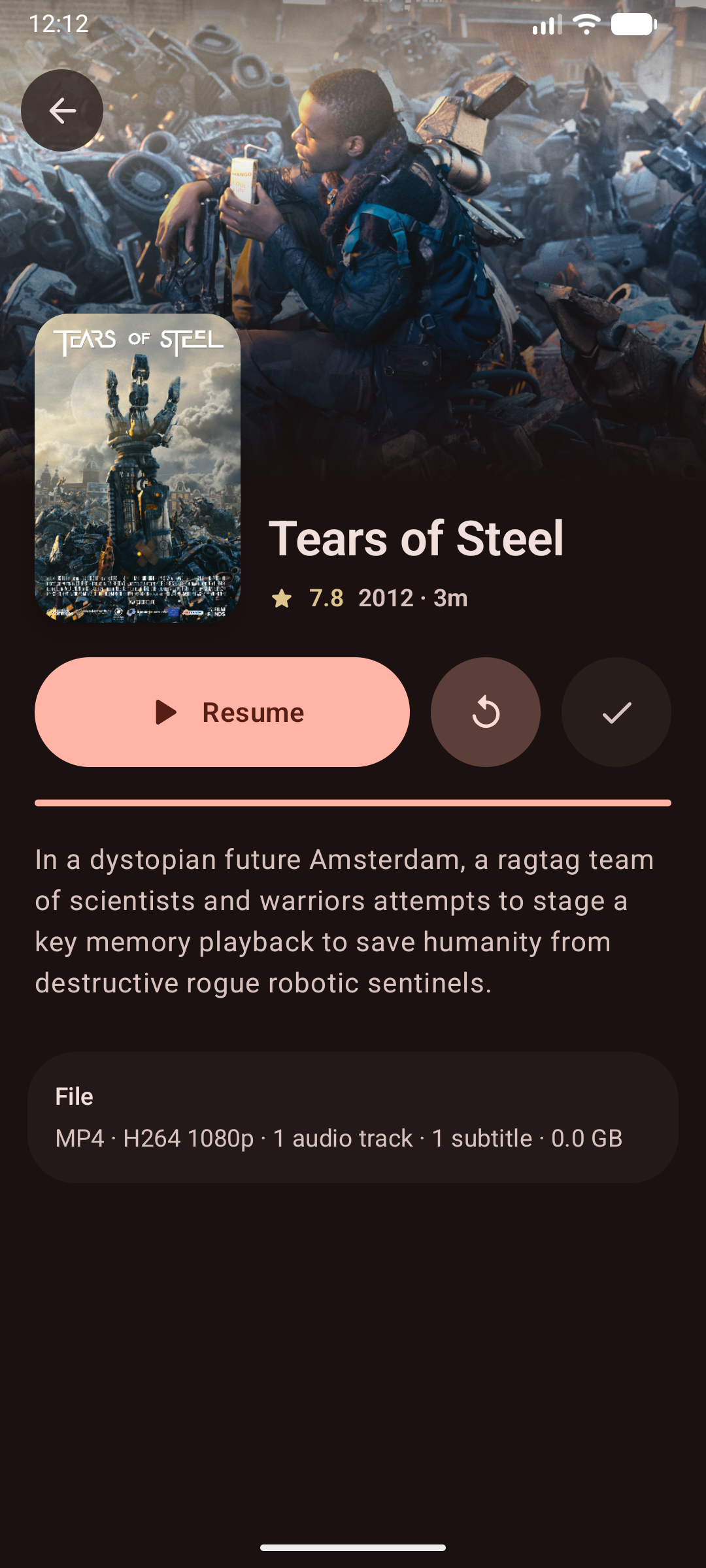
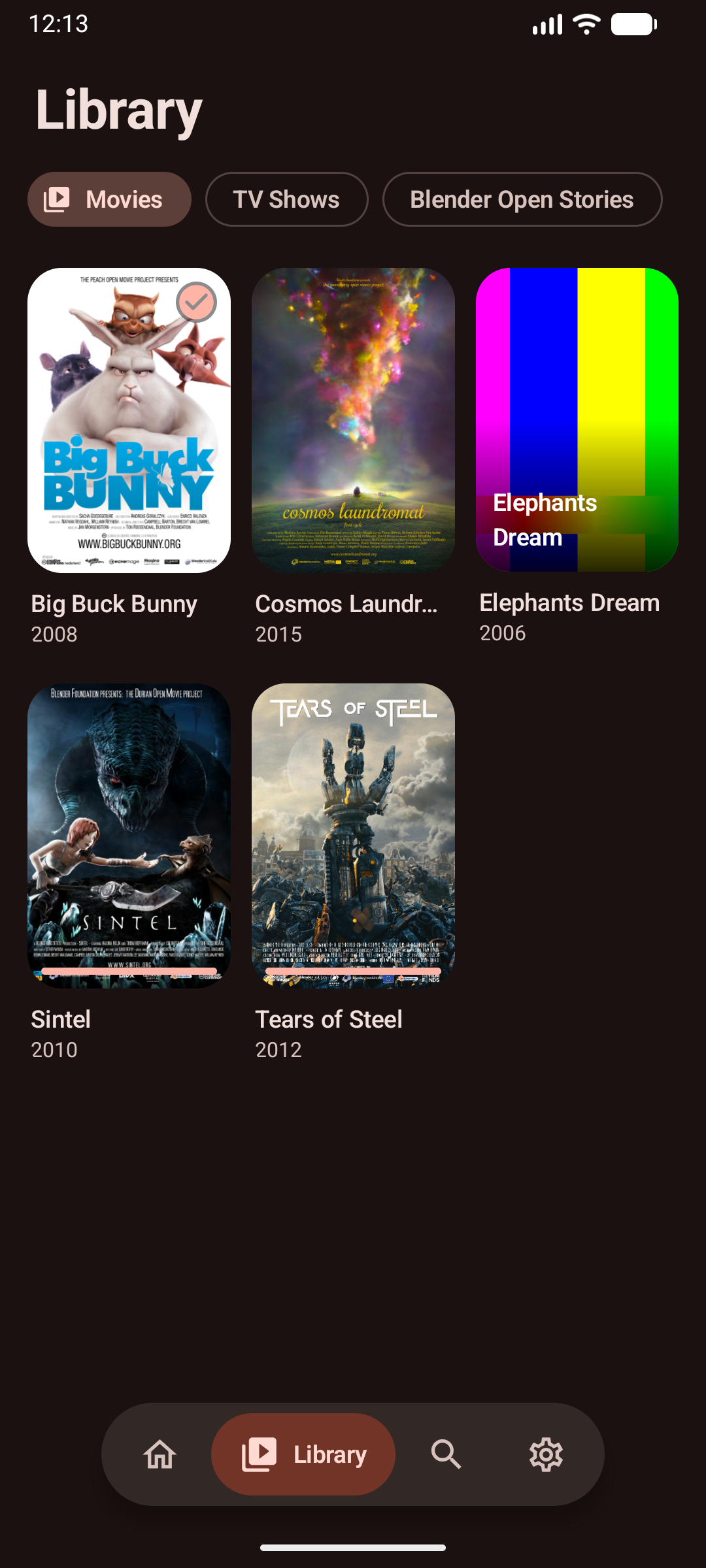
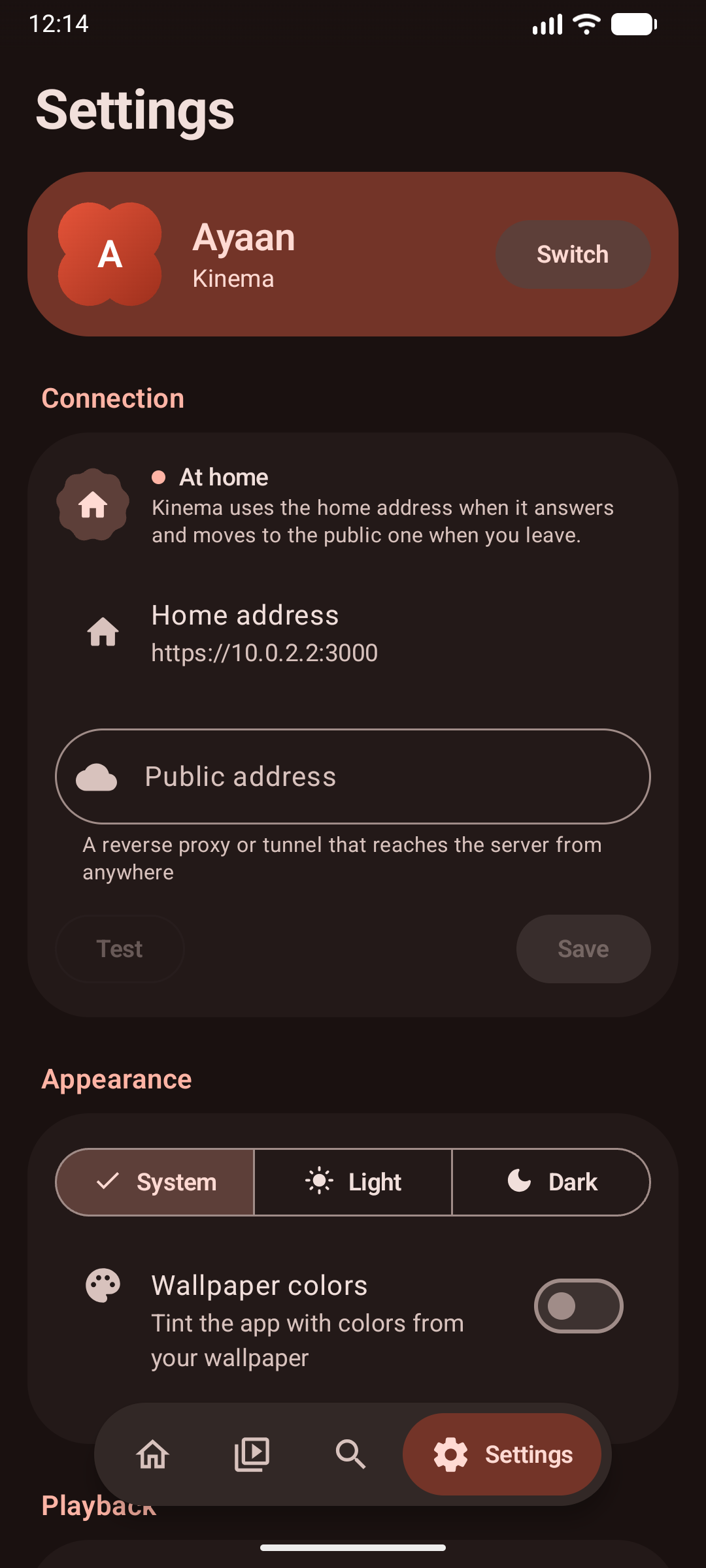
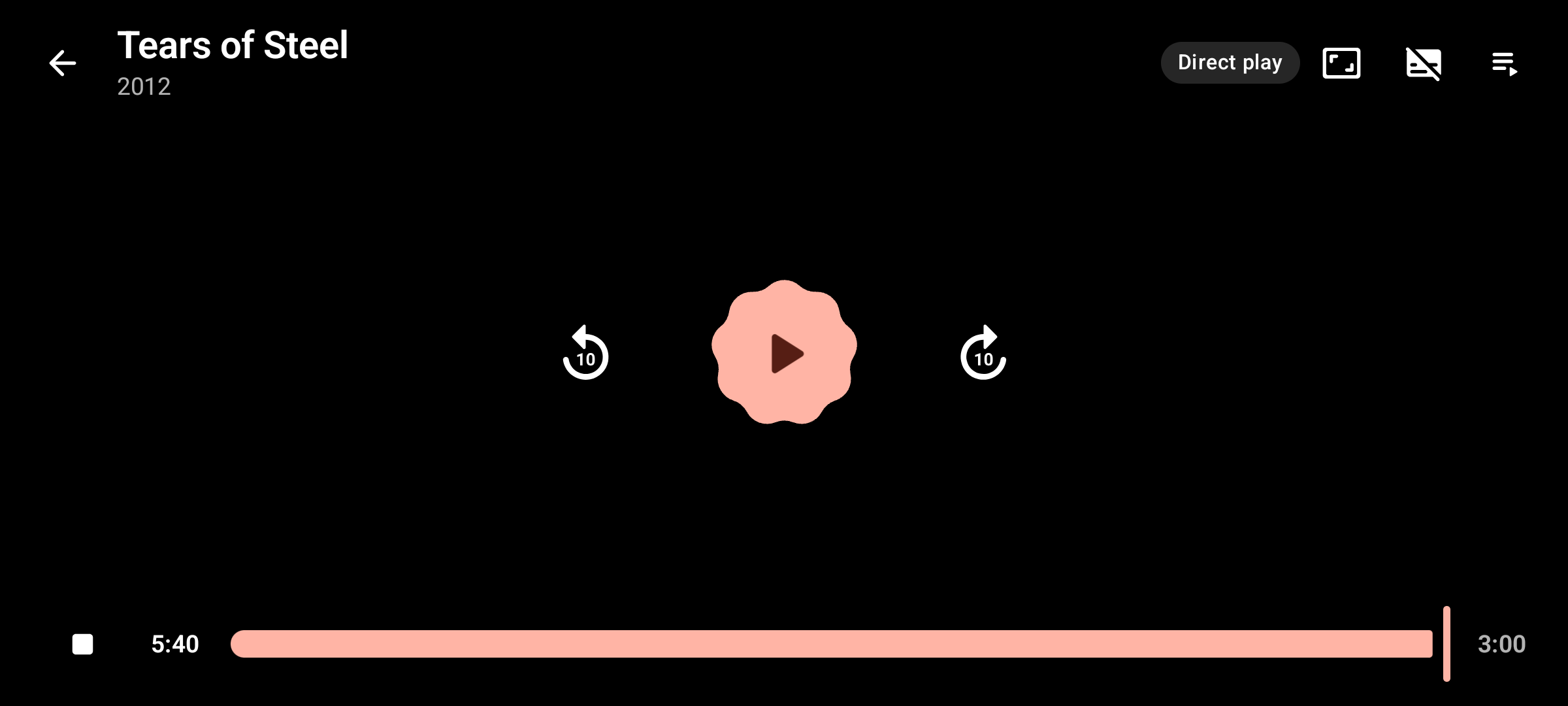
Media3 ExoPlayer in landscape with Direct Play stream badges, live position markers, and seekbar
Quick Install
Home Server (Linux x86_64 / aarch64)
Installs the standalone server bundle (backend, web UI, bundled FFmpeg 8.1, systemd service in /opt/kinema, data in /var/lib/kinema):
curl -fsSL https://raw.githubusercontent.com/aiyu-ayaan/Kinema/master/scripts/install-server.sh | sudo sh
# ... | sudo sh -s -- --port 32400       custom port (default 3000; auto-falls back if taken)
# ... | sudo sh -s -- --channel beta     beta builds (or alpha)
# ... | sudo sh -s -- --check            show installed and newest version, change nothing
# ... | sudo sh -s -- --force            reinstall even when up to date
# ... | sudo sh -s -- --uninstall        remove service (database & libraries kept in /var/lib/kinema)
Desktop App (Linux x86_64)
Installs the desktop player for the current user (AppImage in ~/.local/share/kinema, desktop menu entry with icon, and kinema command):
curl -fsSL https://raw.githubusercontent.com/aiyu-ayaan/Kinema/master/scripts/install-desktop.sh | sh
# ... | sh -s -- --channel beta          beta builds (or alpha)
# ... | sh -s -- --check                show installed and newest version, change nothing
# ... | sh -s -- --uninstall             remove app (settings kept in ~/.config/Kinema)
Updating
The desktop app and the Android app check GitHub at start and offer the new version (an AppImage replaces itself and restarts; Windows and Android open the installer). For the server, admins see "Update available" in the web UI, and Settings › Updates lists the command to run. Or run the same install command again:
- Server:
curl -fsSL https://raw.githubusercontent.com/aiyu-ayaan/Kinema/master/scripts/install-server.sh | sudo sh. It does nothing when already up to date. Otherwise it stops the service, backs up the database to/var/lib/kinema/backup-<old version>, swaps/opt/kinemain one step and restarts. If the new version does not start, it puts back the previous version and the database backup. The port, settings, library, the service's user and a--channelchosen earlier are kept. - Desktop (Linux):
curl -fsSL https://raw.githubusercontent.com/aiyu-ayaan/Kinema/master/scripts/install-desktop.sh | sh, then restart the app if it was open. Settings and the saved server are kept. - Desktop (Windows): run the newer installer from the releases page over the installed one; settings in
%APPDATA%Kinemaare kept. - Docker:
docker compose pull && docker compose up -d. - Android: install the newer APK over the installed one.
Docker Compose
wget https://raw.githubusercontent.com/aiyu-ayaan/Kinema/master/docker-compose.yml
MEDIA_DIR=/path/to/media docker compose up -d
Documentation
Full design documents, architectural decisions, and roadmaps are tracked in development/docs:
development/docs/architecture.md— Process model, crates, concurrency, and streaming paths.development/docs/data-model.md— SQLite schema, indexes, and relations.development/docs/media-pipeline.md— Scanning, probing, seek offsets, and transcoding decisions.development/docs/metadata-and-artwork.md— Filename parsing, TMDB matching, and thumbnail pipeline.development/docs/android.md— Android Jetpack Compose client architecture, TLS pinning, and address roaming.development/docs/web-ui.md— React SPA structure, design tokens, and player implementation.development/docs/api.md— REST API and WebSocket specification.development/docs/mvp.md— MVP capabilities and verification.development/docs/security.md— Threat model, sandboxing, and security mitigations.development/docs/packaging.md— Linux AppImage, Windows packaging, and Docker containers.design-system/MASTER.md— Color tokens (Ember palette), typography, and component specifications.
How It Fits Together
flowchart LR
    subgraph Clients["Clients"]
        Web["React 18 SPA<br/>(apps/web)"]
        Desk["Electron Desktop<br/>(apps/desktop)"]
        And["Android Compose<br/>(apps/android)"]
    end

    subgraph Server["Kinema Server (Axum + Tokio)"]
        direction TB
        TLS["HTTPS / TLS Listener<br/>(rustls self-signed or custom)"] --> Auth["Auth Middleware<br/>Bearer / Session Cookie"]
        Auth --> Routes["API Routes<br/>auth · users · libraries · items · search · settings"]
        Auth --> Stream["Media Stream Engine<br/>Range reads & fMP4 pipes"]

        Routes --> DB[("SQLite DB<br/>(WAL mode, FTS5)")]
        Stream --> DB

        Scan["Scanner & Watcher<br/>(kinema-scanner)"] -->|"inotify events"| FS[("Local Media Folders")]
        Scan --> DB

        JobMgr["Job Supervisor<br/>(probe · match · thumbs)"] --> DB
        JobMgr --> Meta["Metadata Client<br/>(kinema-meta)"]
        JobMgr --> MediaProc["Media Processor<br/>(kinema-media)"]

        Beacon["LAN Beacon<br/>(UDP 48555)"]
    end

    subgraph External["External Services & Processes"]
        FF["Isolated ffmpeg / ffprobe<br/>(child processes)"]
        TMDB["TMDB API & CDN"]
    end

    subgraph DiskCache["On-Disk Cache (data/cache)"]
        ArtCache["Artwork Cache<br/>(images/)"]
        SubCache["WebVTT Cache<br/>(subtitles/)"]
        ThumbCache["Keyframe Thumbs<br/>(thumbs/)"]
    end

    Clients -->|"HTTPS + WSS"| TLS
    And -. "UDP Discover" .-> Beacon
    MediaProc -->|"spawn nice 19"| FF
    Stream -->|"pipe fMP4 / Range, nice 10, throttled"| FF
    Meta -->|"fetch metadata & posters"| TMDB
    Meta --> ArtCache
    MediaProc --> ThumbCache
    MediaProc --> SubCache
    Stream --> SubCache
    Stream --> FS
Clients communicate strictly over HTTPS with the Axum backend. Background tasks (probing streams, pulling TMDB artwork, extracting subtitles, generating keyframe grabs) execute as isolated, lower-priority workers through kinema-media and kinema-meta, storing persistent cached artifacts under data/cache/.
Data Model
Kinema persists all metadata, file inventory, streams, profiles, and watch history in a single SQLite database running in WAL mode with normal synchronization.
erDiagram
    users ||--o{ user_library_access : "grants access"
    libraries ||--o{ user_library_access : ""
    users ||--o{ watch_state : "tracks progress"
    items ||--o{ watch_state : ""
    users ||--o{ track_choice : "saves audio/subs"
    items ||--o{ track_choice : ""
    users ||--o{ sessions : "authenticates"
    libraries ||--o{ library_roots : "contains paths"
    libraries ||--o{ items : "indexes"
    items ||--o{ items : "parent/child (shows/seasons/episodes)"
    items ||--o{ item_genres : ""
    genres ||--o{ item_genres : ""
    items ||--o{ files : "backed by"
    files ||--o{ streams : "contains tracks"

    users {
        int id PK
        string name
        string password_hash
        string pin_hash
        int is_admin
        string avatar
        int created_at
    }

    libraries {
        int id PK
        string name
        string kind
        string language
        int scan_interval_min
    }

    library_roots {
        int library_id FK
        string path
    }

    items {
        int id PK
        int library_id FK
        int parent_id FK
        string kind
        string title
        string sort_title
        int year
        int season_no
        int episode_no
        string summary
        int runtime_s
        real rating
        int tmdb_id
        string poster
        string backdrop
        int added_at
        int updated_at
    }

    files {
        int id PK
        int item_id FK
        string path
        int size
        int mtime
        string fingerprint
        string container
        real duration_s
        int bitrate
        string probe_status
    }

    streams {
        int id PK
        int file_id FK
        int idx
        string type
        string codec
        string language
        int channels
        int width
        int height
        int is_default
    }

    watch_state {
        int user_id FK
        int item_id FK
        real position_s
        int watched
        int play_count
        int last_played_at
    }

    track_choice {
        int user_id FK
        int item_id FK
        int audio
        int subtitle
    }

    sessions {
        string id PK
        int user_id FK
        int created_at
        int expires_at
    }

    jobs {
        int id PK
        string kind
        string key
        string payload
        string status
        int attempts
        int priority
    }
Key Data Invariants
- Content Fingerprinting: Files are tracked by
fingerprint(file size + head/tail content hash), allowing files to be renamed or reorganized across drives without losing watch state, metadata, or library placement. - Per-Profile State: Progress (
position_s,watched,last_played_at) and preferred audio/subtitle track choices are tracked strictly per user profile. - FTS5 Search: An indexed virtual table (
items_fts) provides full-text search across titles, series names, and plot overviews.
Streaming & Media Pipeline
Kinema evaluates media containers, video/audio codecs, and client capabilities to select the most efficient streaming strategy:
sequenceDiagram
    autonumber
    participant C as Client (Web / Android / Desktop)
    participant S as Kinema Backend (Axum)
    participant FF as ffmpeg Subprocess
    participant FS as Local Storage

    C->>S: GET /api/files/{id}/plan?audio=0&start=0&hevc=true&av1=true
    S-->>C: { mode: "direct" | "remux" | "transcode", duration_s, audio, start, subtitle }

    alt Direct Play
        C->>S: GET /api/stream/{id} (Range: bytes=0-)
        S->>FS: Read file chunk
        FS-->>S: Raw bytes
        S-->>C: 206 Partial Content (direct container bytes)
    else Remux / Transcode
        C->>S: GET /api/stream/{id}?start=124.5&audio=1
        S->>FF: Spawn: ffmpeg -ss 124.5 -i file -c:v copy|libx264 -c:a copy|aac -f mp4 pipe:1
        FF-->>S: Fragmented MP4 stream (chunked pipe)
        S-->>C: 200 OK (video/mp4 stream chunked)
    end

    loop Every 10 Seconds
        C->>S: PUT /api/items/{id}/progress { position_s, watched }
        S-->>C: 204 No Content
    end
Playback Decision Matrix
| File Container & Codecs | Client Capabilities | Selected Mode | Cost |
|---|---|---|---|
| MP4 / M4V / WebM with browser-supported video & audio | Client supports container and codecs natively | Direct Play | Zero CPU; served directly via ranged reads |
| MKV / TS container, or secondary audio track | Video codec supported (e.g. H.264, HEVC, VP9); container or audio needs conversion | Remux | Very low CPU; video stream is copied without re-encoding, audio converted to AAC stereo in a fragmented MP4 container |
| Unsupported video codec (e.g. MPEG-2, VC-1, 10-bit H.264) | Client cannot decode stream | Transcode | Bounded CPU; transcoded to H.264/AAC with fast presets and resolution capping |
| Any file, desktop app with mpv installed | Client plays it in mpv (raw=true) | Direct Play | Zero server CPU; mpv decodes every codec on the viewer's computer |
| Unprobed file or probe error | Any client | Direct Play | Fallback raw download; never hides unplayable files |
Keeping Transcodes Cheap
- Throttle: ffmpeg's
-progressoutput tells the server how far a re-encode is ahead; past 60 s the server stops reading the pipe, so ffmpeg waits and the encode runs at playback pace instead of taking every core. - Priority: live streams run at
nice 10(Windows: below normal), background probing and thumbnails atnice 19(idle). - Raspberry Pi 5: the HEVC decoder in its GPU is used through the system
ffmpeg(-hwaccel drm) when one is installed; about a third less CPU on 10-bit HEVC. - Codec fallback: when a browser claims HEVC or AV1 but cannot decode it, the player retries and the server transcodes.
Accurate Seek Offsets
Stream copy can only begin at a keyframe (or Matroska cue point). When a user seeks into a remuxed stream, Kinema calculates the exact prior keyframe time, launches ffmpeg at that boundary, and returns the keyframe timestamp as start in the plan. The client player offsets its playback time accordingly, ensuring seek bars and subtitles stay in exact synchronization.
Subtitle Extraction
Sidecar files (.srt, .vtt) and embedded text subtitle streams (SRT, SSA/ASS, WebVTT) are converted on demand into WebVTT and cached in data/cache/subtitles/. The player overlays the cues client-side, allowing subtitle switching with zero interruption to video playback.
Workspace Layout
Kinema is organized as a Cargo workspace with decoupled Rust crates alongside modern web, desktop, and mobile applications:
Kinema/
├── Cargo.toml                  # Cargo workspace definition
├── package.json                # Root pnpm scripts & build orchestration
├── pnpm-workspace.yaml         # Node packages: apps/*
├── backend/                    # Axum server binary crate: HTTP API, streaming, auth, worker supervisor
│   └── src/
│       ├── auth.rs             # Argon2 password/PIN hashing & 256-bit token sessions
│       ├── discovery.rs        # UDP broadcast responder (port 48555)
│       ├── state.rs            # AppState: DB connection pool, config, in-memory rate-limiters
│       ├── thumbs.rs           # Background video keyframe generation worker
│       ├── tls.rs              # Rustls self-signed TLS manager & certificate generator
│       └── routes/             # HTTP route modules (auth, libraries, items, media, settings)
├── crates/
│   ├── kinema-core/            # Domain models, configuration loaders, error types, platform abstractions
│   ├── kinema-db/              # SQLx database connection pool, migrations, and queries
│   ├── kinema-scanner/         # Walkdir filesystem walker, notify event debounce, and release name parser
│   ├── kinema-media/           # ffprobe metadata parser, ffmpeg command builders, seek calculators
│   └── kinema-meta/            # TMDB API client, rate limiting, artwork caching, and local fallback
├── apps/
│   ├── web/                    # React 18 + TypeScript + Vite + Tailwind CSS frontend
│   ├── desktop/                # Electron desktop wrapper with server switcher and LAN discovery
│   └── android/                # Native Android application (Jetpack Compose, Media3, Navigation 3)
│       ├── app/                # Compose screens, Material 3 expressive themes, player views
│       └── core/               # OkHttp client, TLS certificate pinning, Keystore AES-GCM secure store
├── design-system/              # Design specifications, Ember color tokens, component master docs
└── development/                # Architectural diagrams, specifications, and task tracking
    └── docs/                   # Authoritative design documentation
Multi-Platform Clients
1. Web SPA (apps/web)
- Built with React 18, TypeScript, Tailwind CSS, TanStack Query, and Lucide icons.
- Dual theme support (Dark and Light) based on the Ember palette (
#E8553A). - Fully keyboard-accessible video player with Plex-style shortcuts (
Spaceto toggle playback,S/X/Escapeto stop,Ffor full screen,Mto mute, arrows for 10s seeking and volume).
2. Desktop App (apps/desktop)
- Lightweight Electron shell bundling LAN discovery and server switcher.
- Configurable for Linux (
.AppImage,.deb) and Windows (.exeinstaller). - Play in mpv: with mpv installed (on
PATH, or setKINEMA_MPV), titles open in mpv with the server's audio and subtitle picks and saved progress. The file is served as it is through a loopback proxy that keeps the session and certificate pin inside the app.
3. Android App (apps/android)
- Designed exclusively for browsing and watching media on phones and tablets.
- Predictive back gesture: Android's own back animation: the page shrinks and drifts with the finger while the page beneath slides in, then slides away on release.
- Certificate Pinning: Reads and pins the server's self-signed TLS fingerprint on first connection.
- Home/Public Address Roaming: Automatically checks whether the local server or public reverse proxy answers and switches transparently on network changes.
Security Model
| Threat | Kinema Defense |
|---|---|
| Path Traversal | Clients never pass file paths to the server. Files are referenced solely by integer IDs; paths are resolved from the database and validated to ensure they reside within library roots. |
| Media File Exploits | ffmpeg and ffprobe run as sandboxed child processes with restricted environments, strict timeouts, and limited network access (-protocol_whitelist file,pipe). |
| Credential Theft | Passwords and PINs are hashed using Argon2id. Sessions use 256-bit cryptographically secure tokens whose SHA-256 hashes are stored in SQLite. |
| Brute Force Attacks | Authentication endpoints automatically lock out accounts for 60 seconds after 5 failed attempts. |
| Eavesdropping on LAN | HTTPS is enabled by default using an automatically generated TLS certificate. The Android app pins the certificate SHA-256 fingerprint. |
| Cross-Profile Leakage | All queries filtering watch history, playlists, and library permissions enforce user authorization boundaries at the database layer. |
Getting Started
Prerequisites
- Rust: 1.80+ (edition 2024)
- Node.js: 18+ and
pnpm - FFmpeg & FFprobe: Must be available on your system
PATH(or specified viaKINEMA_FFMPEGenvironment variable). - mpv (optional): enables Play in mpv in the desktop app.
Running in Development
Install workspace dependencies:
pnpm install
Start both the backend server and web frontend simultaneously:
pnpm dev
Open http://localhost:5173 in your browser. On the first run, Kinema prompts you to create the administrator account and choose your media libraries.
Dedicated Component Commands
pnpm dev:backend        # Run backend with auto-restart on .rs / .toml / .sql changes
pnpm start:backend      # Run backend once (cargo run)
pnpm dev:web            # Run Vite dev server for web UI only
pnpm dev:desktop        # Run Electron desktop client
pnpm android:dev        # Build, deploy, and launch Android dev build on connected device/emulator
Verification & Testing
pnpm lint               # Run ESLint on web/desktop and Cargo Clippy on all Rust crates
pnpm test               # Run Rust workspace tests, web unit tests, and desktop tests
pnpm android:test       # Run Android core unit tests
Production Build
pnpm build # Compiles web distribution, then builds release backend binary
Run the compiled server:
APP_ENV=production ./target/release/kinema-server
Clean-Room Engineering
Kinema is developed strictly following clean-room software design principles. No proprietary code, assets, or decompiled binaries from Plex or other closed-source media solutions are used. All behaviors, protocols, and database designs are derived entirely from public media specifications, open standard APIs (TMDB, WebVTT, HLS, Matroska, MP4), and original design choices.
License
Kinema is released under the MIT License.
// stack
- Rust
// specs
- status
- Working
- type
- Web
- year
- 2026
- language
- Rust
- license
- MIT
- branch
- master
Repository data last synced