aiyu-ayaan/Findex-Rust
Findex-Rust
Fast, native file explorer in Rust and Slint with a Windows 11 File Explorer look, for Linux and Windows. Desktop edition of Findex.
- active
- 1 stars
- Rust
- Apache-2.0
- pushed yesterday
// readmeaiyu-ayaan/Findex-Rust

Findex for Linux and Windows







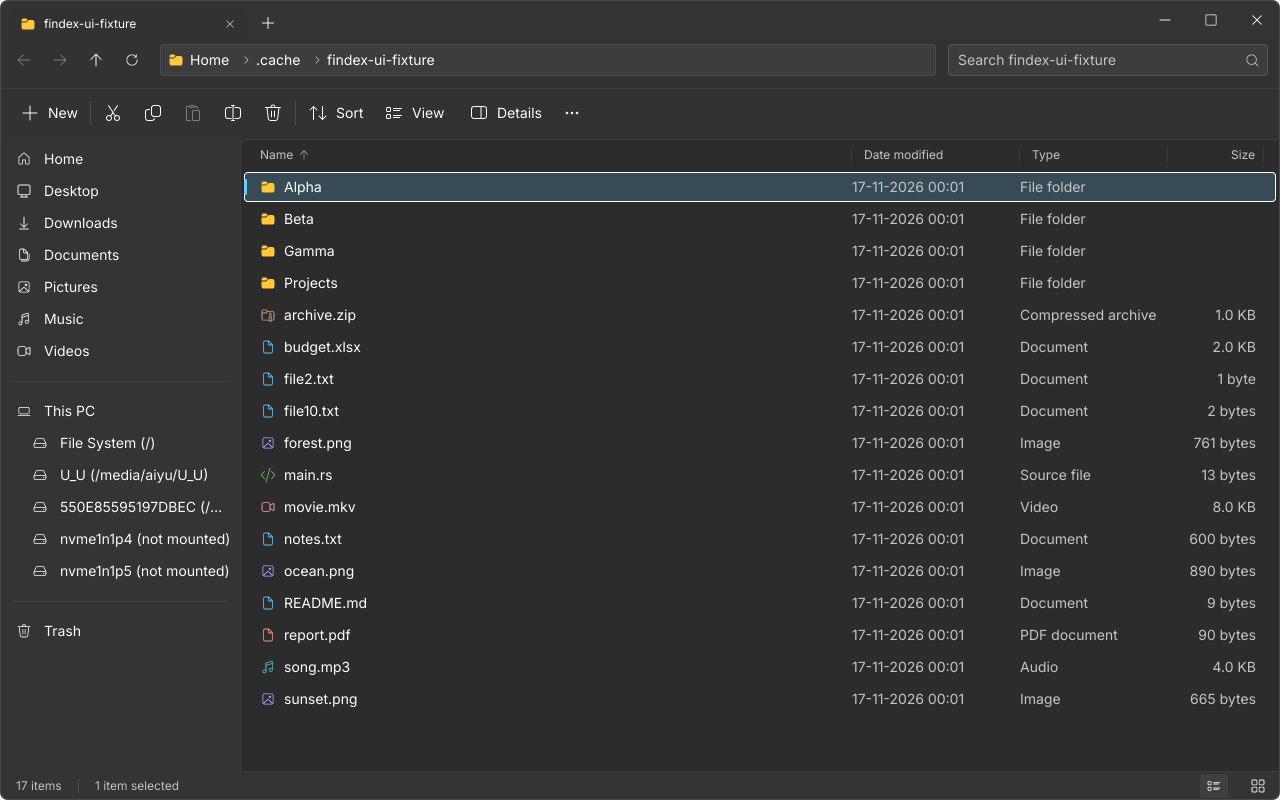
The desktop edition of Findex, the Android file explorer. A fast, native file explorer written in Rust that looks and feels like the Windows 11 File Explorer, on Linux and on Windows: tabs, every Explorer view mode, fuzzy search across subfolders, thumbnails, a Folder Options window, light and dark themes with translucent Mica-style surfaces, and one transfer window for every copy, move and delete. It can be set as the default file manager, so folders and Super+E open in Findex. It also pairs with Findex on your phone: phone storage shows up next to your drives, and files go both ways over an encrypted link.
Status: early alpha. Linux is built and tested end to end (GNOME, X11). The Windows build compiles in CI but has not been run on real hardware yet. Mica, the Win+E hook and default-app registration on Windows are still open (see the roadmap).
📸 Screenshots
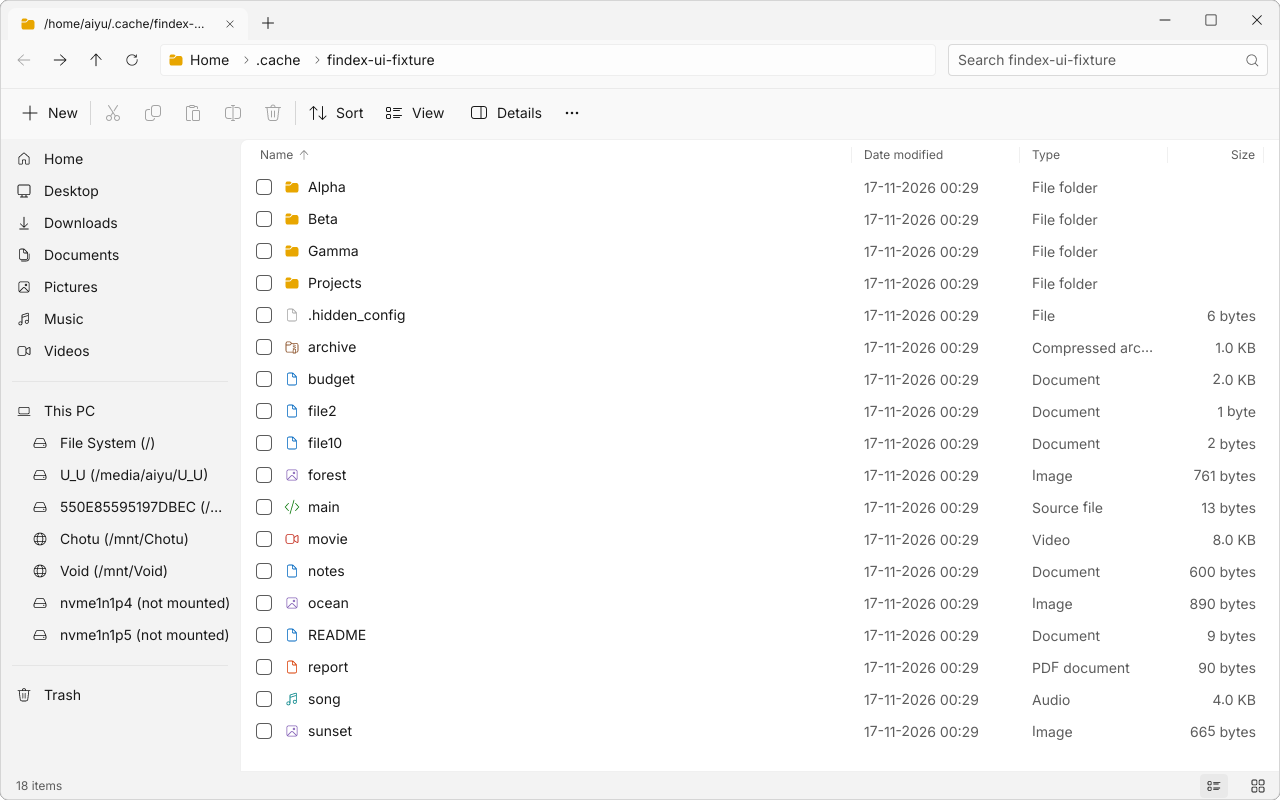
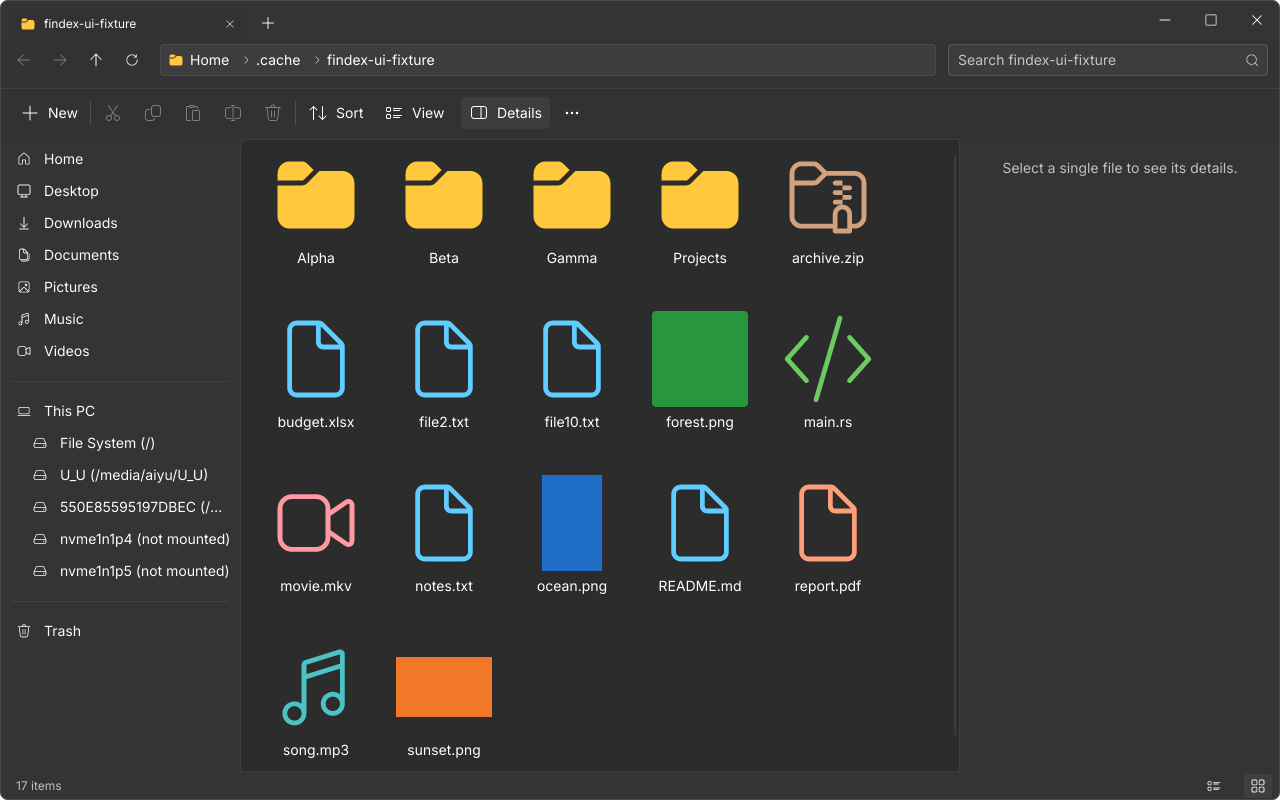
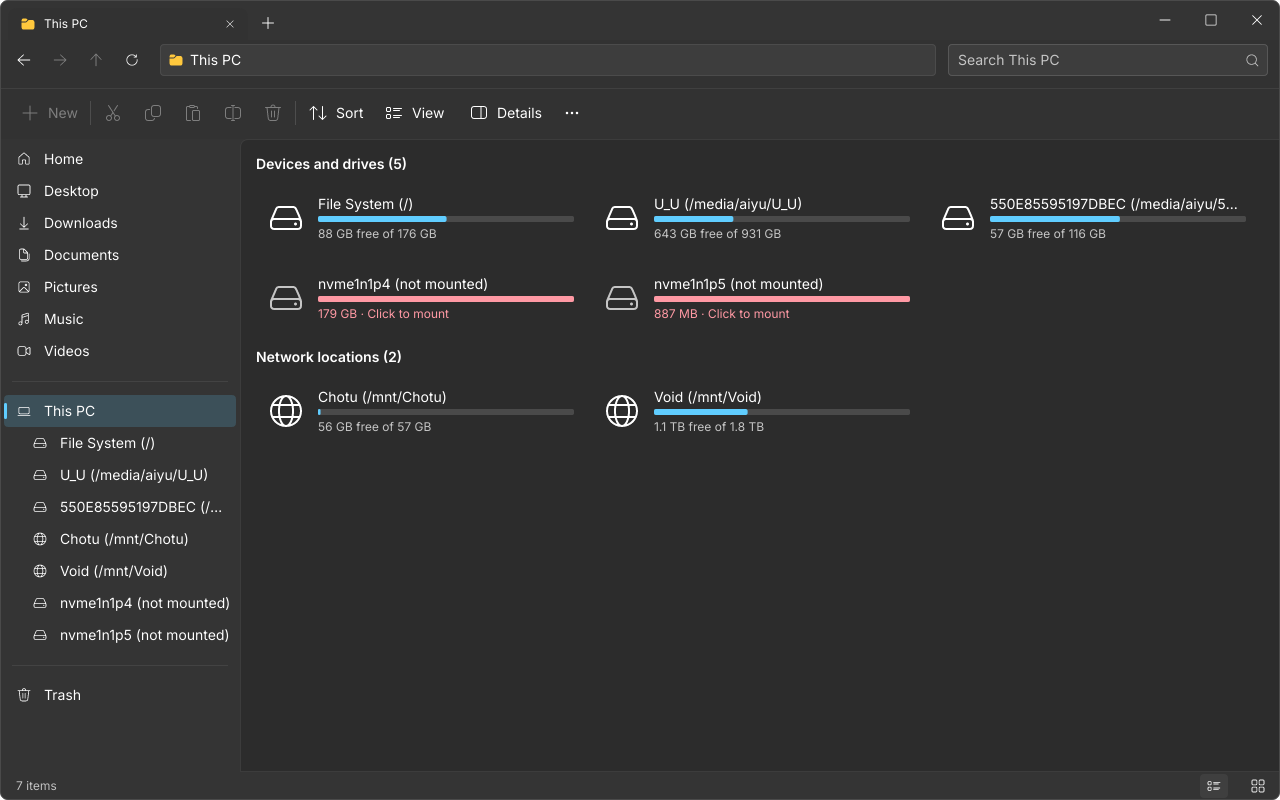
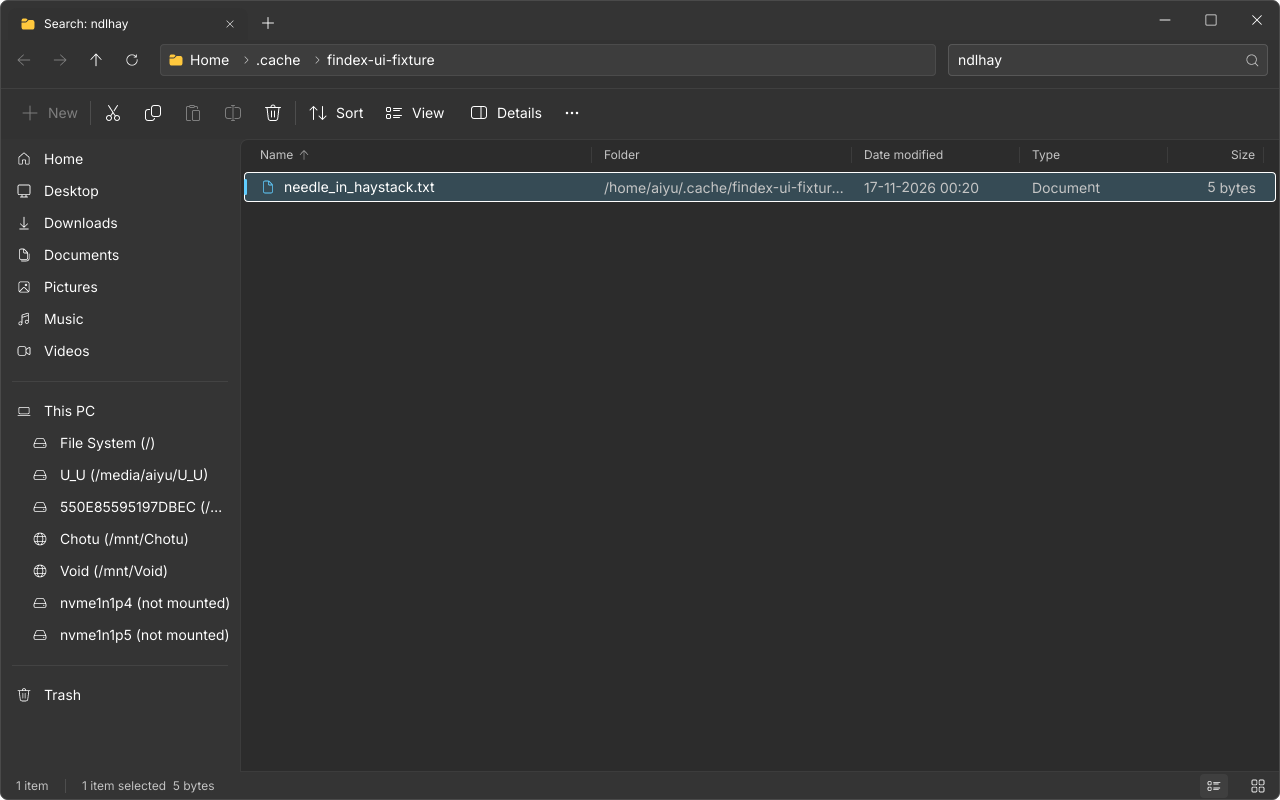
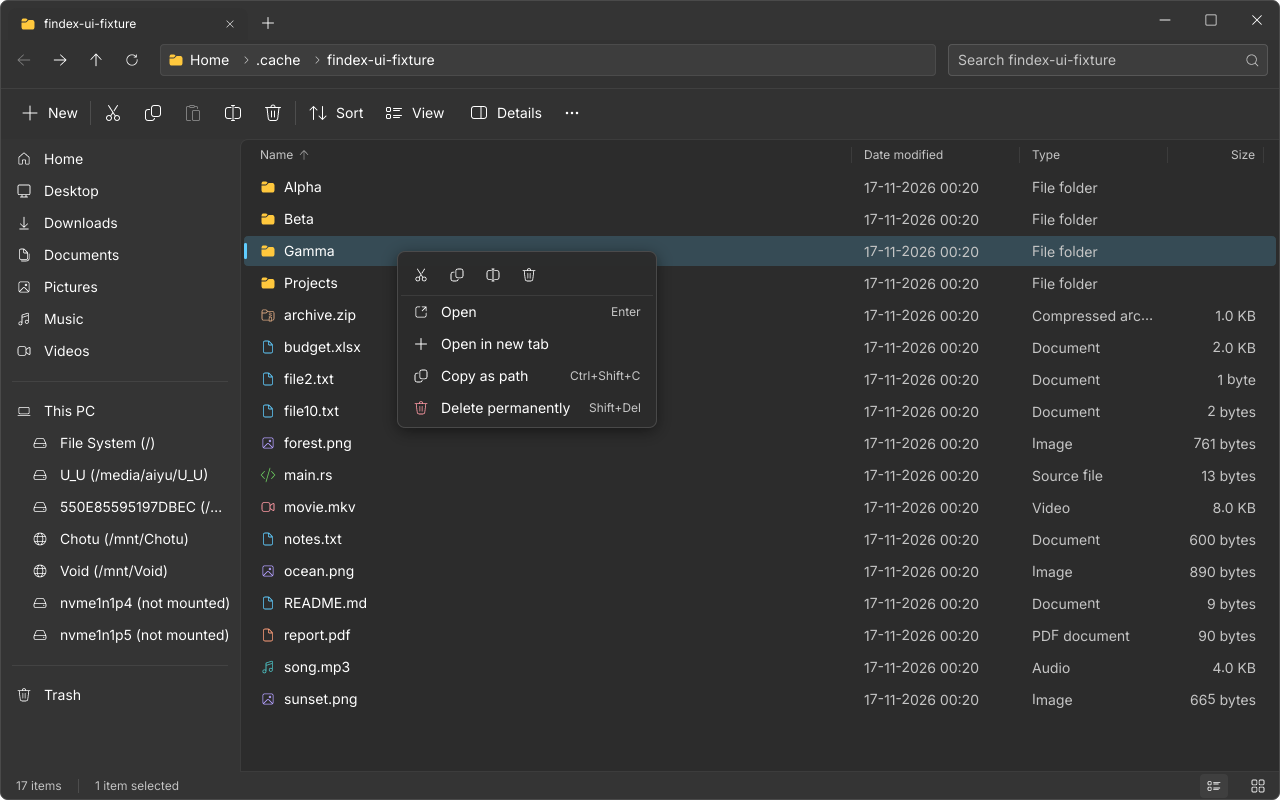
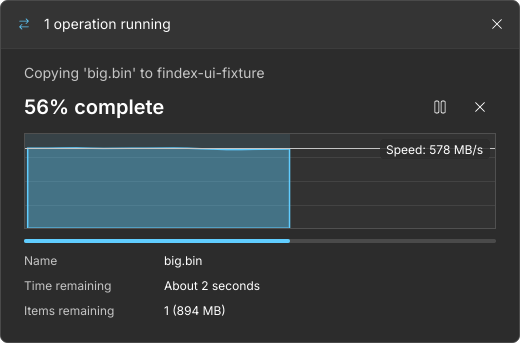
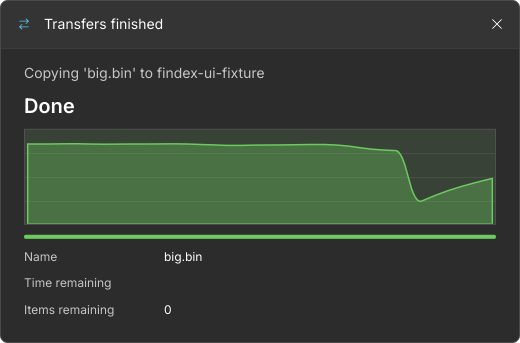
All screenshots come from the end-to-end UI test runs (tests/ui).
✨ Features
Explore
- Windows 11 layout: tabs merged with the title bar, command bar, breadcrumb address bar, navigation pane, details pane, status bar.
- All eight Explorer views: extra large, large, medium and small icons, list, details, tiles, content (
Ctrl+Shift+1to8). Every view is virtualized, so huge folders scroll smoothly. - Tabs: new, close, switch (
Ctrl+T,Ctrl+W,Ctrl+Tab), middle-click to close, open a folder in a new tab, restore tabs at startup. - Streaming listing:
getdents64on Linux andFindFirstFileExW(large fetch) on Windows. First rows show before the folder finishes loading. - Natural sort (
file2beforefile10) by name, date, type or size, folders first. - Keyboard first: arrows, Home/End, PageUp/PageDown, Shift/Ctrl selection, type-ahead, Enter, Backspace, Alt+arrows, F2, F5, Delete,
Ctrl+L,Ctrl+F,Ctrl+A,Ctrl+Z. - Thumbnails for images, shared with Nautilus and Dolphin through the freedesktop thumbnail cache, generated visible-first.
Search
- Fuzzy search (the
nucleomatcher from Helix) over the current folder and all subfolders. The walk is parallel and breadth-first, and results stream in ranked by match quality. - Symbolic links and pseudo file systems (
/proc,/sys, ...) are never entered.
Files
- One transfer window for copy, move, trash and delete: large "% complete", a speed graph that fills with progress, a progress bar, speed, time and items remaining, and pause, resume and cancel.
- Reflink (
FICLONE), thencopy_file_range, then buffered copy on Linux. Same-volume moves are renames. - Name clashes keep both (
a - Copy.txt) and nothing is overwritten. Folders can't be copied into themselves. - Delete goes to the Trash, with Undo.
Shift+Deleteasks first, with the safe button focused. - New folder and new text document, rename, copy as path, cut and paste between tabs.
Phones (Findex Link)
- Pair with Findex for Android: the phone shows under Phones in the navigation pane, and its storage (with usage bars) on This PC.
- Phone folders open in normal tabs. You can open files, copy and paste both ways, rename, make folders and delete (to the phone's Recycle Bin).
- Send to phone on any file. Files from the phone land in
Downloads/Findex, and text from the phone goes to the clipboard. - Encrypted with TLS. Each side pins the other's certificate after a one-time pairing, where both screens show the same 6-digit code. Turn it off in Options > Findex > Phones.
Drives
- This PC shows mounted volumes, removable drives, network shares (NFS, SMB, SSHFS, GVfs) and unmounted partitions (click to mount through udisks2), with usage bars and a low-space warning.
- Every free-space probe is timeout-guarded, so a dead network share can't freeze the app.
Look and feel
- Light and dark themes that follow the system, or are set by hand.
- Transparency effects: translucent Mica-style window and layers. On Windows 11 it asks for the real Mica backdrop.
- Fluent System Icons, Inter / Segoe UI Variable, 4 px grid, 100 / 167 / 250 ms motion that turns off with reduced motion, visible focus rings, and colour never used as the only signal.
Folder Options (like Explorer's)
- General: open to Home or This PC, open folders in the same or a new tab, single- or double-click to open.
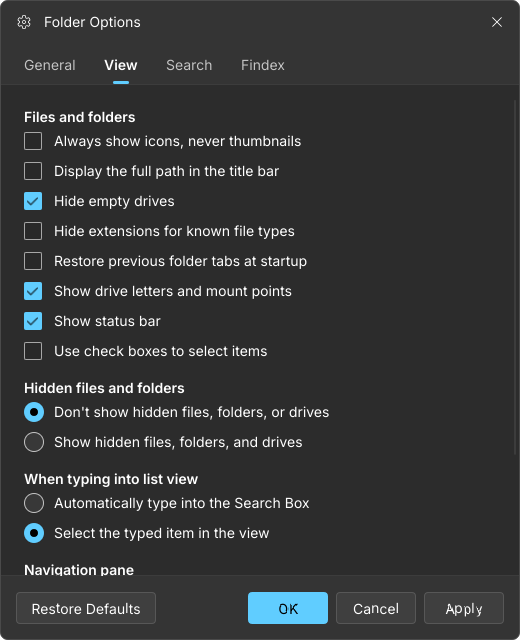
- View: never thumbnails, full path in the title, hide empty drives, hide known extensions, restore tabs, drive letters and mount points, status bar, check boxes, hidden files, typing goes to the search box or selects, navigation pane sections.
- Search: subfolders, hidden files.
- Findex: theme, transparency, compact view, default file manager.
🔗 Findex ecosystem
| Desktop (this repo) | Android | |
|---|---|---|
| App | Findex for Linux and Windows | Findex for Android (Material 3 Expressive) |
| Sees the other device | Phones in the navigation pane and on This PC | Computers tab on the phone's Home: this PC opens in the phone's Explorer |
| Copy both ways | Copy, paste or Send to phone | Copy, paste or Send to computer (lands in Downloads/Findex here) |
| Streaming | Phone files open on the PC | Videos and music on this PC stream to the phone with seeking |
Pair a phone. Install Findex on the phone. Here, choose See more (⋯) > Pair a phone and scan the QR code with Home > Computers > Scan QR code on the phone. That's all: the QR code carries this PC's identity, so nothing needs comparing. Without a camera, tap this PC under Nearby on the phone, or use Pair by address. Then check that both screens show the same 6-digit code and accept on both.
The design is modelled on Apple's AirDrop and Continuity: a long-term identity certificate per device, mDNS discovery (_findex._tcp), TLS with certificate pinning, numeric-comparison pairing with hash commitments, and a bearer token per pairing. The protocol and the comparison with Apple are in development/docs/10-ecosystem.md. Paired phones can reach only your Home folder and the Downloads/Findex inbox, and only while Findex is running.
⬇️ Install
Linux (x86_64), no root needed. This installs the AppImage, the Findex logo at every size and a menu entry in your home folder:
curl -fsSL https://raw.githubusercontent.com/aiyu-ayaan/Findex-Rust/master/scripts/install-linux.sh | sh
Add -s -- --set-default to also make Findex the default file manager (folders and Super+E on GNOME open Findex). Use -s -- --channel beta for beta builds, -s -- --version 0.0.1 for one release, or -s -- --uninstall to remove it. Run it again to update. The .deb and the Windows build are on the Releases page.
Default file manager from the app: See more (⋯) > Options > Findex, or findex --set-default. Undo with findex --repair, which restores the previous handler.
🧭 How it works
graph TD
    app["findex-app<br/>window, tabs, listing model, shortcuts"] --> ui["findex-ui<br/>Slint UI, theme tokens, icons"]
    app --> ops["findex-ops<br/>copy, move, trash, delete queue"]
    app --> scan["findex-scan<br/>parallel fuzzy search"]
    app --> thumbs["findex-thumbs<br/>freedesktop cache, scheduler"]
    ops & scan & app --> platform["findex-platform<br/>one API"]
    platform --> linux["findex-platform-linux<br/>getdents64, mountinfo, udisks2, reflink, xdg"]
    platform --> win["findex-platform-win<br/>FindFirstFileExW, drives, Mica, shell"]
    app & ops & scan --> core["findex-core<br/>entries, natural sort, history, fuzzy"]
    app --> link["findex-link<br/>Findex Link: identity, pairing, TLS server and client, mDNS"]
The UI thread never touches the disk. Listing, sorting, search, thumbnails, drive probes and file operations run on worker threads, and every one of them can be cancelled. Platform code lives only in the findex-platform-* crates.
Design docs are in development/docs: architecture, features, platform integration, performance budgets, cleanup and thumbnails, UI design language, roadmap and releases.
🚀 Build
Dev flavour. Every debug build (cargo run), or a release build with --features dev, is the dev flavour. It runs next to an installed Findex without touching it:
- It keeps its own settings, paired phones and Link identity in
findex-devinstead offindexunder the config dir. - It uses its own single-instance socket, so it never hands its window to the installed app.
- It doesn't claim
org.freedesktop.FileManager1and refuses--set-default. - It prefers Link port 47101, and shows "Findex Dev" in the title and "(dev)" to phones.
Release builds without the feature are the normal flavour.
# Linux needs: libfontconfig1-dev libxkbcommon-dev libwayland-dev libx11-dev libgl1-mesa-dev
cargo run -p findex-app -- ~/Documents      # run
cargo test --workspace                      # unit tests
tests/ui/run.sh                             # end-to-end UI suites (needs a display; CI uses Xvfb)
cargo build --release -p findex-app && scripts/package-linux.sh   # AppImage + .deb in dist/
findex --search ROOT QUERY runs the fuzzy search from the command line and prints the time it took.
🏷️ Releases
Same flow as Domus: put !alpha, !beta, !stable, !fix, !feat or !major at the start of a commit subject on master. That opens a release PR, and merging the PR builds and publishes. Details: development/docs/09-release.md.
Licence
Apache License 2.0. See LICENSE.
// stack
- Rust
- Cross Platform
- Desktop APP
- File Explorer
- File Manager
- Fluent Design
- Fuzzy Search
- GUI
- cross-platform
- desktop-app
- file-explorer
- file-manager
- fluent-design
- fuzzy-search
- gui
- linux
- rust
- slint
- tabs
- thumbnails
// specs
- status
- Working
- type
- Open Source
- year
- 2026
- language
- Rust
- license
- Apache-2.0
- stars
- 1
- branch
- master
Repository data last synced